






How to stay a step ahead of the TCPA with TrustedForm Verify
TL;DR
- TrustedForm Verify helps advertisers programmatically check whether lead consent language meets their requirements.
- The setup process starts with publisher coordination: Define compliant language, align on rejection rules, confirm legal entity names, update contracts, and test before going live.
- TrustedForm Retain stores a record of the lead event, while Verify helps automate compliance checks so teams do not have to manually review every session replay.
- Once Verify is enabled, advertisers need a clear strategy for handling non-compliant leads, such as rejecting them, suppressing outreach, or pursuing additional consent.
- Ongoing review matters: Regularly updating approved consent language helps maintain compliance, reduce wasted spend, and improve lead quality over time.
Overview
In our webinar “TCPA update readiness: A step-by-step checklist for advertisers”, our Technical Product Manager, Christopher Williams, Insurance Vertical Leader, Matt Fraser, and Customer Success Team Lead, Justin Guido, shed light on one of our products – TrustedForm Verify.
Our speakers show how advertisers can leverage TrustedForm Verify to help maintain compliance.
Understanding how TrustedForm can help
TrustedForm is the ultimate compliance solution for documenting TCPA consent on digital lead capture forms. TrustedForm offers four different sub products:
For the purpose of this discussion, we will focus on Retain and Verify.
TrustedForm Retain
TrustedForm Retain is our solution that enables you to store a record of the events leading to a lead’s creation. This ensures that a certificate is then stored in your account, providing you with concrete proof of what happened.

Inside a TrustedForm Certificate, you can see all the essential data about the lead, such as when it was created, how long they were on the page, and their IP address. This ensures you have confidence that the lead was represented accurately when you purchased it.
One of the most exciting features is the Session Replay. This isn’t just a static picture; it’s a detailed recreation of the lead’s interaction on the website. You can watch every step, from filling out the form to giving consent, ensuring transparency and accuracy.
While a picture may be worth a thousand words, this is even better – a moving picture that lets you see exactly what happened. You can visually verify each step, making it easy to understand and confirm.
TrustedForm Verify
However, watching every session replay for all your leads isn’t practical. That’s where TrustedForm Verify comes in. Verify allows you to programmatically confirm that your requirements have been met, helping you stay compliant.
| Feature | What it does | Common use case | Main benefit |
| Consent language manager | Shows the consent language variations used to generate leads. | Review and approve or reject language used by publishers. | Helps ensure the right disclosure language was shown to consumers. |
| Approved Language Check | Confirms that the consent language shown to a lead exactly matches the consent text you have pre-approved for use. | Ensuring publishers and lead vendors use only compliant consent language that has been reviewed by your legal or compliance team. | Helps reduce compliance risk by preventing unauthorized or altered consent language from being used. |
| Font Size Check | Verifies that the consent language font size meets a minimum threshold you define. | Monitoring whether consent disclosures are displayed prominently enough to be reasonably noticed by consumers. | Increases confidence that consent language was visible and readable at the time consent was collected. |
| Contrast Ratio Check | Verifies that the contrast between the consent language and its background meets a threshold you define. | Detecting consent text that may blend into the background due to poor color contrast or styling choices. | Helps ensure consent disclosures are conspicuous and easier for consumers to read. |
| Opt-in Type Check | Verifies that consent was collected using the opt-in method you require | Enforcing specific consent collection standards across publishers, partners, or lead sources. | Provides greater control over how consent is obtained and helps support your compliance requirements and risk tolerance. |
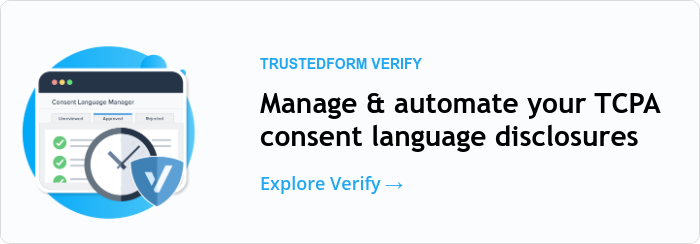
In the Verify consent language manager, you can see a list of all the consent texts used to generate your leads. You can approve or reject these variations, ensuring that the right language was shown to the consumer, which is crucial for meaningful consent.
Verify automates the process, ensuring your leads meet your requirements without the need to review each one individually.

Step-by-step guide to implementing TrustedForm Verify
1. Communicate with your publishers
As Christopher suggests, the first step towards compliance is to coordinate with your publishers. For any process you’re implementing, you need to work closely with your publishers or vendors – whomever is providing you with the leads. They are crucial in ensuring compliance and meeting your requirements.
Define what is compliant
Christopher recommends starting by ensuring that both you and your publishers have the same understanding of what is compliant. While the FCC has released updates, these have been interpreted in various ways, even by expert lawyers. Simply asking your publishers to make leads compliant isn’t enough. You need to clearly outline your specific requirements so they know exactly what changes to make in their processes to meet your needs.
Align on what your requirements are
There are other important topics to cover as well, such as the acceptable reasons for post-rejects, which can be a sensitive issue. If you, the advertiser, reject a lead, your vendors are left in a difficult position. They’ve created the lead for you, and if you don’t want it, it results in lost money and frustration.
To avoid this, you need to specify the reasons you can reject a lead and ensure both parties agree on these reasons. This way, you won’t face a situation where you reject leads for reasons your vendors didn’t expect, leading to confusion and dissatisfaction.
Make sure you’re ok with the vendor’s changes
As Christopher continues to explain, there are several other important topics to discuss with your vendors, such as the changes they are making to their lead forms. Ensure that you are comfortable with the changes they are implementing and that you both agree on them.
Another crucial step is updating your contracts. To ensure both parties are aligned, it’s essential to put everything in writing. Christopher strongly recommends this.
Provide your vendor with your legal entity name
It’s especially important to provide your vendors and publishers with your legal entity name.
For example, if your company is known as Company A but is legally registered as Company A Incorporated, using the wrong name could cause issues. To avoid any problems, provide the proper legal name.
Make your vendor send you a test lead
Finally, ensure they send you a test lead. After aligning on all the details, a test lead will help you confirm that everything is working correctly. If you don’t test it, there’s a risk that issues will only be discovered once you go live, potentially leading to lost money and frustration.
Note that all of this should be discussed with your Legal or Compliance Teams.
2. Enable TrustedForm Verify
If you’re already a customer and have a managed account, you should reach out to your Customer Success Manager (CSM). They can assist you with pricing and a simple amendment to your existing contract.
Once the amendment is signed, they will enable TrustedForm Verify on the back end for you and guide you through all the steps Christopher described, including the initial management of consent disclosures, troubleshooting, and answering any questions you might have.
If you’re a self-service customer, you can easily sign up on the website yourself. It’s a quick and straightforward process.
3. Decide what to do with non-compliant leads
After you have TrustedForm Verify enabled, you need to actually use it. This means filtering out non-compliant leads. Verify will tell you whether your requirements have been met. However, once you have this data, you need to decide what to do with it.
As Christopher explains, it’s up to you to determine your strategy. You might choose to reject leads that fail the Verify check, provided you’ve discussed and agreed on this with your vendor. Alternatively, you might decide not to contact these leads to avoid the risk of violating the new TCPA updates. Another option is to email them to obtain additional consent, ensuring you’re fully covered.
There are several strategies, and you should choose the one that best fits your business, after consulting with your Legal and Compliance Teams. Once you decide on your approach, you need to implement the logic to execute it. There are a few options for doing this:
- Within our LeadConduit product: This is our preferred method. LeadConduit, an ActiveProspect product, is designed to work seamlessly with TrustedForm Verify. You can easily set up the necessary filters with just a few clicks.
- Using another platform: If you use a different platform like Boberdoo, Lead Prosper, or LeadsPedia, many of these platforms already support TrustedForm Verify. You should reach out to their support team for specific instructions on integrating with TrustedForm Verify. They will be the best resource to guide you through the process.
- If your platform doesn’t integrate with us yet: File a feature request with them to add support for TrustedForm Verify. This will help ensure you can use the tool effectively in the future.
- If you have your own internal, custom-built system for handling leads: In this case, you’ll need to work with your development team. Provide them with the API documentation for TrustedForm Verify and instruct them to filter out leads where Verify fails. If Verify is successful, they should keep the lead, pass it on, and ensure the certificate is retained. Our support team is more than happy to assist them in figuring out the specific logic needed to ensure everything works as intended.

4. Regularly review your consent language
By this point, as Christopher explains, you have your leads filtered, with the good ones coming into your system and the bad ones being handled appropriately to keep you safe. However, it’s crucial to regularly review your consent language.
The Verify product includes a consent language manager that continuously updates with new consent languages used for the leads you’ve purchased. If you don’t review these, you’ll end up with a backlog of unreviewed consent languages, which you might be rejecting simply because they haven’t been reviewed.
To stay compliant, you need to periodically review these consent languages. Approve the ones that meet your standards and reject the ones that don’t. This ongoing review is essential because compliance is not a one-time task.

Why is this crucial for your business?
As Justin explains, this process is essential because it boosts performance through compliance.
Verified consent builds trust and enhances ROI by ensuring your leads meet the highest standards of quality and compliance. This sets the stage for better, higher-quality interactions between consumers and brands.
By filtering out leads that either didn’t see approved consent language or didn’t give express consent, you save money and resources. You avoid wasting your agents’ time and reduce TrustedForm Retain costs by not retaining certificates for leads that didn’t pass the Verify check.

The setup process for Verify involves some initial preparation between advertisers and publishers, but it sets both parties up for success. As Justin points out, it’s also a great opportunity to enhance collaboration and communication. Whether you already have daily communication with your publishers or not, this process provides another chance to align expectations and maintain transparency.
FAQs
1. What is TrustedForm?
TrustedForm is ActiveProspect’s solution for documenting and verifying proof of consent on digital lead forms. It creates a certificate that records the consumer’s interaction with the form, and it can also help businesses retain that record, validate consent language, and access lead-level insights to support compliance and lead quality decisions.
2. What is TrustedForm Verify?
TrustedForm Verify is ActiveProspect’s product for programmatically checking whether a lead’s consent language meets your requirements. It helps advertisers review, approve, or reject consent language variations and confirm that the right disclosures were shown to the consumer, so non-compliant leads can be identified before outreach happens.
3. Why is verifying marketing consent language important under the TCPA?
Verifying marketing consent language matters under the TCPA because telemarketing calls and texts often require prior express written consent, and the seller may need to show that the consumer received clear and conspicuous disclosure and agreed unambiguously to be contacted. If the consent language is unclear, incomplete, or not aligned with your requirements, the lead may create compliance risk before outreach even begins.
In practical terms, verifying consent language helps you confirm that the right disclosure was shown, that the consumer’s permission was properly captured, and that you are not relying on assumptions or vendor assurances alone. That is important because, if a dispute arises, you may bear the burden of showing that valid consent was obtained.
4. How often should advertisers review consent language in TrustedForm Verify?
Advertisers should review consent language in TrustedForm Verify regularly and as part of an ongoing process, not just once at setup.
New consent language variations can appear over time as publishers update forms or introduce new lead sources, so periodic review helps ensure approved language stays current and non-compliant variations do not build up in your queue.
A practical approach is to review it on a recurring schedule based on your lead volume—such as weekly or more frequently for high-volume programs—and anytime you onboard a new publisher or change your consent requirements.
Takeaways
Here are the main takeaways from our webinar “TCPA update readiness: A step-by-step checklist for advertisers”:
- TrustedForm Verify allows advertisers to programmatically confirm that their requirements have been met, helping them stay compliant.
- TrustedForm Retain stores a record of the events leading to a lead being created, providing proof of what happened.
- The implementation of TrustedForm Verify involves coordination with publishers, enabling the product, filtering non-compliant leads, and regularly reviewing consent language.
- The solution can enhance ROI by ensuring leads meet high standards of quality and compliance.
Watch the full episode now and talk to an expert to get started with TrustedForm Verify!
DISCLAIMER: This page and all related links are provided for general informational and educational purposes only and are not legal advice. ActiveProspect does not warrant or guarantee this information will provide you with legal protection or compliance. Please consult with your legal counsel for legal and compliance advice. You are responsible for using any ActiveProspect Services in a legally compliant manner pursuant to ActiveProspect’s Terms of Service. Any quotes contained herein belong to the person(s) quoted and do not necessarily represent the views and/or opinions of ActiveProspect.